
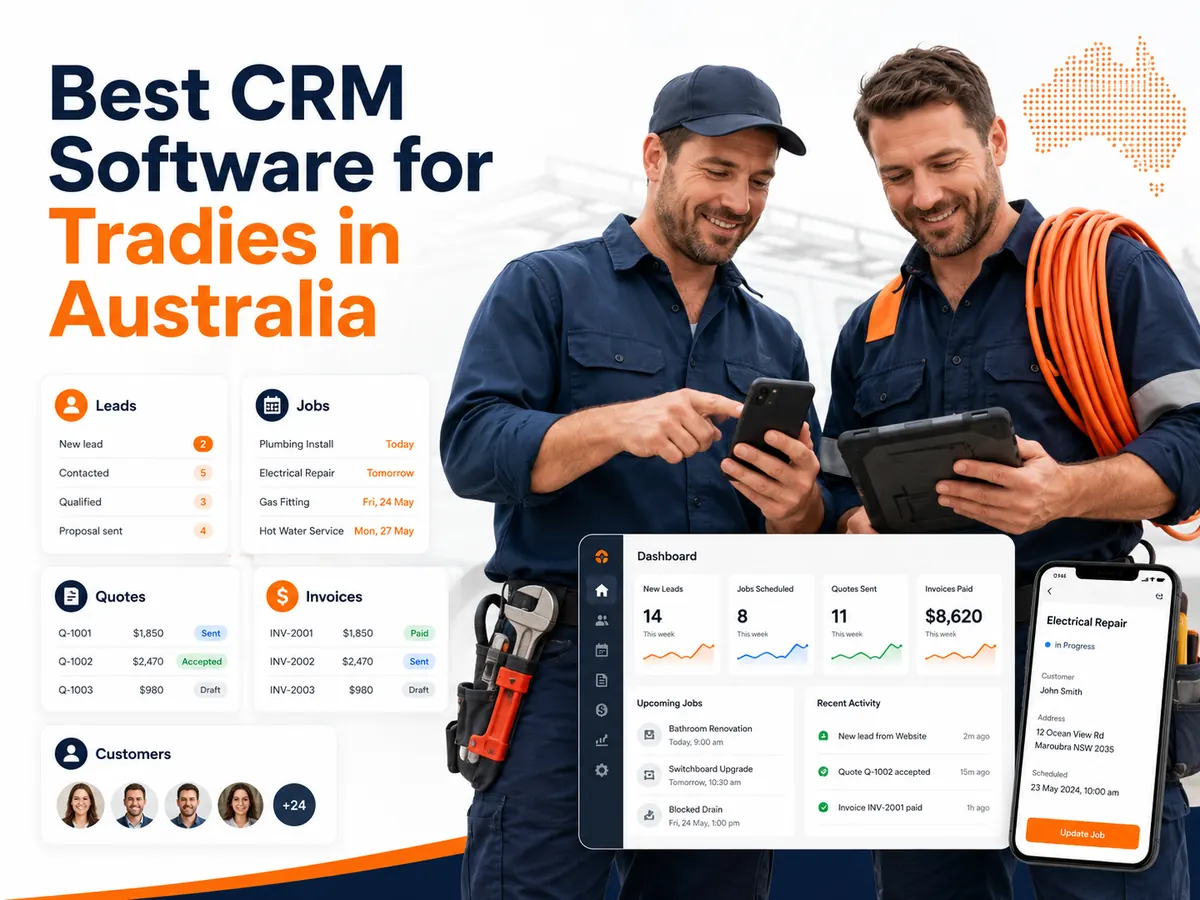
The best CRM for an Australian tradie is the system that fixes the business’s main workflow failure, such as lost enquiries, delayed quotes, scheduling conflicts or unclear job costs. ServiceM8, Tradify, Fergus, Jobber, AroFlo and Simpro serve different operational needs.
A tradie CRM should manage more than names and phone numbers. It should connect customer records with enquiries, quotes, appointments, jobs, invoices, payments and follow-up actions.
The Australian Government separates a customer relationship management system from a job management system. A CRM records customer contacts and interaction histories. A job management system tracks work, tasks and operational progress. Trade platforms often combine both functions in one system.
This comparison evaluates six platforms against nine criteria:
- Lead and customer management
- Mobile usability
- Scheduling and dispatch
- Quoting and invoicing
- Job costing
- Accounting integrations
- Pricing structure
- Security and permissions
- Suitability for Australian trade businesses
Prices and features can change. Verify the final subscription cost, included users, transaction fees and integrations before purchasing.
Which CRM software is best for Australian tradies?
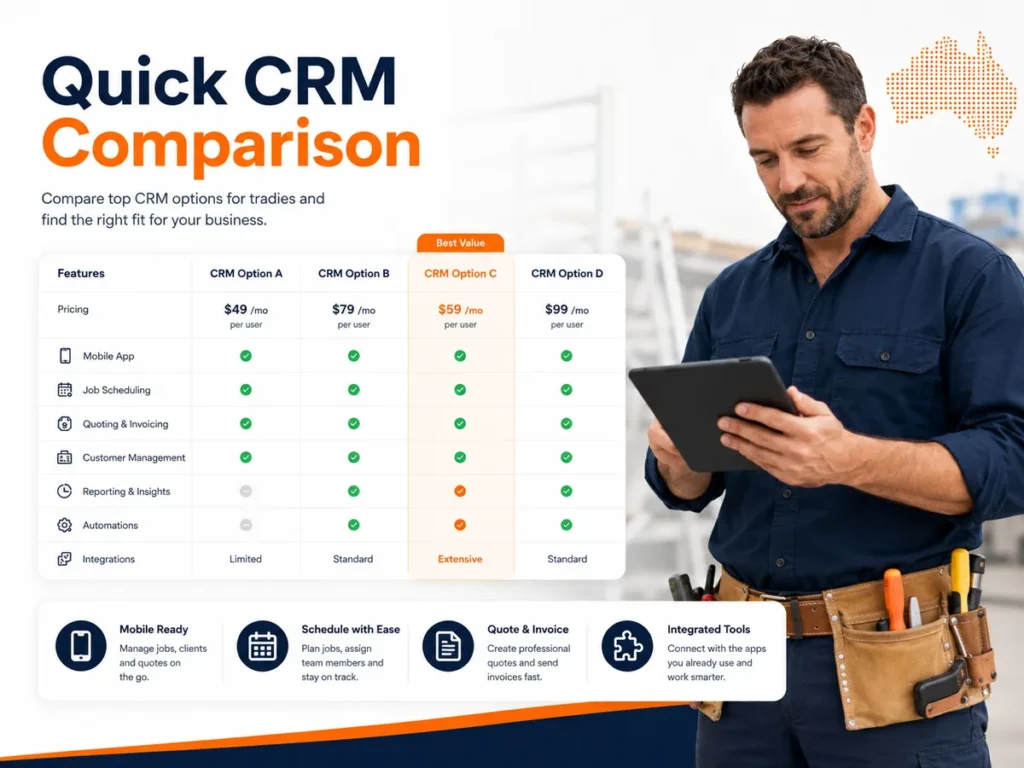
ServiceM8 is a practical affordable option for sole traders and small service teams. Tradify suits businesses wanting a simple cross-platform workflow. Fergus is stronger when material costs and job profitability require closer control.
AroFlo and Simpro provide deeper operational controls for businesses managing larger teams, inventory, compliance forms, maintenance contracts or multi-stage projects.
Quick CRM comparison
| CRM platform | Best suited to | Entry pricing reviewed | Mobile access | Main operational strength | Main limitation |
|---|---|---|---|---|---|
| ServiceM8 | Sole traders and small service teams | Free for 1 user and 30 jobs per month; paid plans from AUD $29 per month | Full iOS app and ServiceM8 Lite for Android | Affordable scheduling, job cards, quoting and invoicing | Android app has fewer capabilities than the iOS app |
| Tradify | Small trade teams wanting a simple workflow | AUD $48 per user per month, excluding GST | iPhone, iPad and Android | Enquiry-to-invoice workflow and accounting sync | Per-user pricing increases as the team grows |
| Fergus | Trades needing job costing and supplier data | From AUD $53 per month | Mobile application | Materials, supplier invoices, cost tracking and profitability | Some user types and communication features carry additional charges |
| Jobber | Service businesses prioritising customer communication | Standard Core price starts at USD $49 per month | iOS and Android | Online booking, client communication and automated follow-up | Prices are listed in USD and several advanced features require higher plans |
| AroFlo | Established trade businesses with complex operations | Pricing provided on request | Field and office access | Inventory, compliance, projects, job costing and supplier integrations | Greater setup requirements than basic sole-trader systems |
| Simpro | Growing contractors managing service and project work | Personalised quotation | Simpro Mobile | Projects, maintenance, inventory and detailed reporting | May exceed the operational needs of a small sole trader |
ServiceM8’s official Australian pricing page lists a free plan for one user and 30 new jobs each month. Paid plans begin at AUD $29 per month and permit unlimited users. Its core features include scheduling, job cards, quoting, invoicing, client history, payments and accounting integrations.
Tradify lists its Lite plan at AUD $48 per user per month excluding GST. Its higher plans add functions such as recurring jobs, customer communication history, appointment reminders, progress invoicing, job costing, subcontractor scheduling and service reminders.
Fergus lists plans from AUD $53 per month. Its feature set includes enquiry management, job cards, GPS tracking, calendars, materials, recurring jobs, quoting, invoices and integrations with Xero, MYOB and QuickBooks.
Jobber’s Core plan has a standard monthly price of USD $49 for one user. Higher plans add automated reminders, QuickBooks Online synchronisation, job costing, two-way text messaging, workflow automation and lead pipeline management.
AroFlo covers quoting, scheduling, payments, compliance, project management, inventory, field service and trade CRM functions. Its Premium plan includes more than 600 connected suppliers, but the company provides subscription pricing through a request process.
Simpro uses personalised pricing based on team size and selected add-ons. Its platform covers service work, projects, maintenance, inventory, estimating, scheduling, invoicing and financial reporting.
How were these tradie CRM platforms evaluated?
Each platform was evaluated by following a complete customer and job lifecycle instead of counting isolated features. This method tests whether data moves correctly from the first enquiry to the final payment.
The evaluation workflow contains 10 stages:
- Capture an enquiry.
- Create a customer record.
- Assign a lead status.
- Prepare a quote.
- Record customer approval.
- Schedule a job.
- update the job from a mobile device.
- Record labour and materials.
- Generate an invoice.
- Send a payment, review or maintenance reminder.
A feature was treated as useful only when it reduced a specific operational failure.
For example:
| Operational failure | Required CRM capability | Measurement |
|---|---|---|
| Leads are forgotten | Lead pipeline and follow-up reminders | Enquiry-to-contact rate |
| Quotes are delayed | Mobile quote templates and price lists | Average quote preparation time |
| Jobs are double-booked | Shared calendar and availability controls | Scheduling conflict count |
| Invoices are issued late | Job-to-invoice automation | Days from completion to invoice |
| Margins are unclear | Labour, material and expense tracking | Gross margin per job |
| Customer information is scattered | Central customer and property history | Duplicate record count |
| Field workers lack information | Mobile job cards and document access | Incomplete job record count |
Research on CRM adoption in small and medium-sized enterprises identifies technological, organisational and environmental conditions as adoption factors. Firm size can also change which factors have the greatest effect. This supports evaluating a platform by business size and operating model rather than declaring one system suitable for every company.
What is a customer relationship management system for tradies?
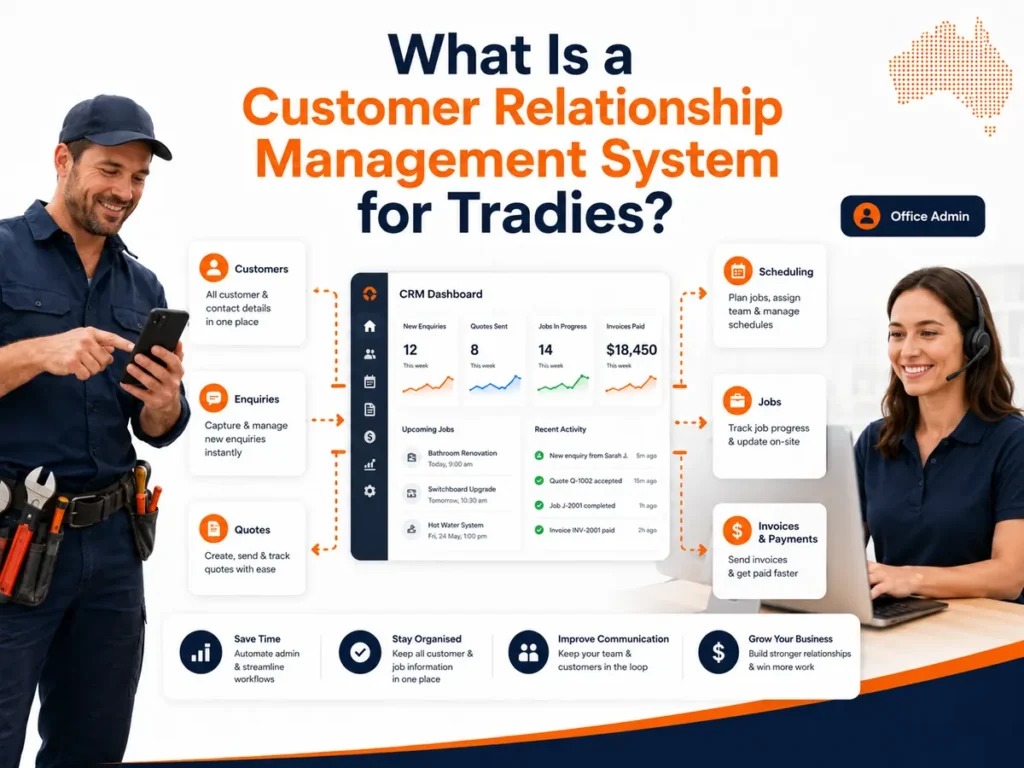
A CRM for tradies is software that records enquiries, customers, properties, communications and sales activity. A trade-specific system may also connect these records with quotes, appointments, job cards, technicians, invoices and payments.
The primary entity is the customer record.
A complete customer record can contain:
- Customer name
- Phone number
- Email address
- Billing address
- Worksite address
- Property access instructions
- Communication history
- Previous enquiries
- Quotes
- Jobs
- Invoices
- Payments
- Photos
- Documents
- Installed assets
- Maintenance dates
The system should preserve the relationship between these entities.
A normal workflow is:
Enquiry → lead → customer → quote → approval → job → invoice → payment → review → repeat service
The CRM captures the enquiry. The sales pipeline tracks the lead. The customer approves the quote. The scheduler assigns the job. The field worker records the completed work. The system creates an invoice. An automation sends the next follow-up.
The Australian Government states that a CRM can provide a single view of customer history, needs and preferences. It can also allow staff members to access and update customer contacts from one platform.
Is CRM software the same as job management software?
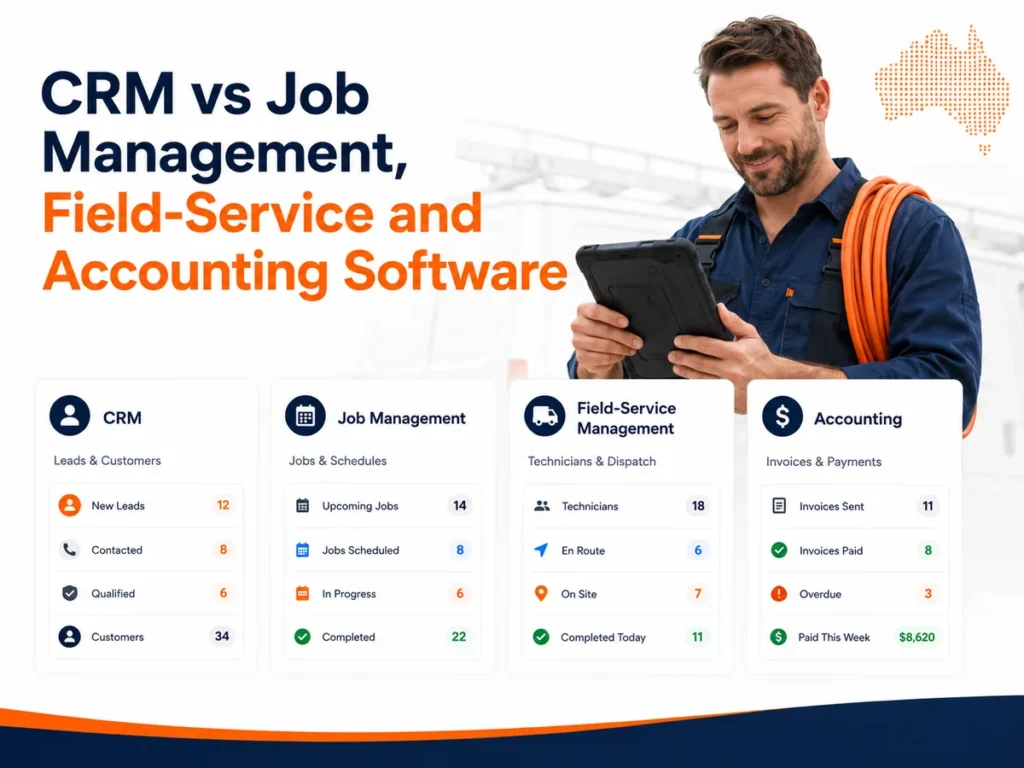
No. CRM software manages relationships and sales activity. Job management software manages the delivery of booked work. A trade-business platform may combine both functions.
The distinction affects product selection.
| Software category | Primary object | Main actions | Examples of data |
|---|---|---|---|
| CRM | Lead or customer | Capture, qualify, communicate and follow up | Lead source, contact history, next action |
| Job management | Active job | Schedule, assign, complete and document | Job status, job card, labour and materials |
| Field-service management | Mobile workforce | Dispatch, route, monitor and report | Technician location, availability, travel time |
| Accounting software | Financial transaction | Reconcile, report and calculate | Invoice, payment, tax and general ledger |
| Inventory software | Stock item | Purchase, allocate and count | Quantity, supplier, unit cost and storage location |
A sales pipeline should not be used as an active job schedule.
A lead marked “quote sent” is a sales entity. A job marked “in progress” is an operational entity. Combining both into one undefined status field makes reporting less accurate.
A quote and an invoice also have different functions. A quote proposes a scope and price. An invoice requests payment for supplied work.
What problems does a CRM solve for tradies?
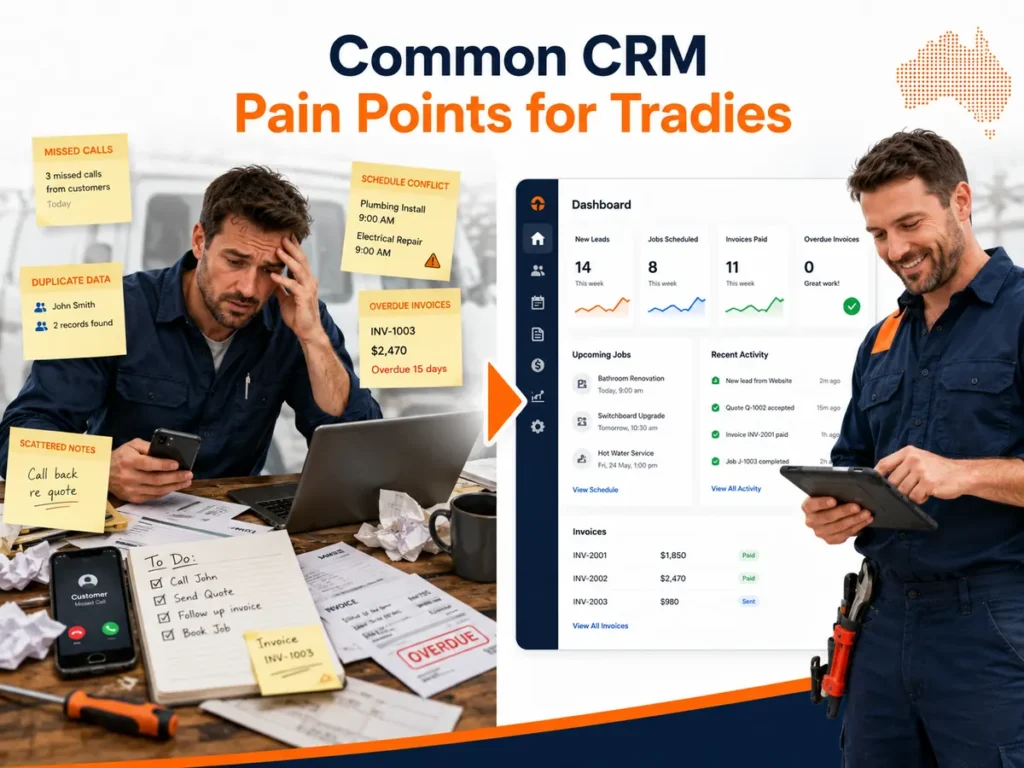
A CRM reduces information loss between customer contact, quoting, scheduling, field work and payment. It does not remove administration unless the business configures clear workflows, user responsibilities and data rules.
How does CRM reduce after-hours administration?
CRM software reduces after-hours administration by replacing repeated data entry with connected records, templates and workflow triggers.
A customer’s details should not be typed separately into a spreadsheet, quote, calendar, job card, invoice and accounting platform.
The same record should populate:
- Customer details
- Site address
- Quote
- Appointment
- Job card
- Invoice
- Service reminder
Duplicate entry increases the risk of incorrect phone numbers, addresses, prices and payment statuses.
How does CRM prevent lost leads?
A CRM prevents lost leads by giving every enquiry an owner, status and next action.
A useful lead record should contain:
- Lead source
- Service required
- Customer location
- Enquiry date
- Assigned user
- Estimated value
- Current stage
- Follow-up date
- Lost reason
Recommended pipeline stages are:
- New enquiry
- Contact attempted
- Qualified
- Site visit booked
- Quote sent
- Quote accepted
- Job scheduled
- Won
- Lost
Leads from phone calls, website forms, email and social platforms should enter the same pipeline. A separate inbox without a lead status still permits enquiries to be forgotten.
How does CRM improve quote follow-up?
A CRM improves quote follow-up by recording when the quote was sent, viewed, accepted, declined or left unanswered.
An automated sequence may include:
- Quote sent immediately.
- First reminder after 2 business days.
- Second reminder after 5 business days.
- Manual follow-up task after 7 business days.
- Lost-reason request after the final contact.
The timing should match the service type. An emergency plumbing enquiry requires a faster response than a planned renovation quote.
How does CRM improve scheduling?
A CRM improves scheduling when appointments are connected with worker availability, customer location, job duration and required skills.
The scheduling record should contain:
- Appointment date
- Start time
- Expected duration
- Assigned technician
- Job priority
- Site address
- Required skill
- Required equipment
- Customer access instructions
- Job status
A calendar alone is not a dispatch system. Dispatch also requires worker availability, job priority and location data.
How does CRM improve field-to-office communication?
A mobile CRM gives office staff and field workers access to the same current job record.
Field workers should be able to record:
- Arrival time
- Labour hours
- Travel time
- Materials used
- Site notes
- Photos
- Videos
- Customer signatures
- Scope variations
- Completion status
The office should receive these updates without waiting for paper job cards or end-of-day messages.
How does CRM improve job profitability?
A CRM supports profitability reporting when it records estimated and actual labour, materials, expenses and revenue against the same job.
Use the following calculation:
Gross profit = job revenue − direct labour − materials − job expenses
Use this calculation for margin:
Gross margin percentage = gross profit ÷ job revenue × 100
A sales dashboard cannot calculate job profitability when labour and material costs remain in separate systems.
Which CRM is best for sole traders?
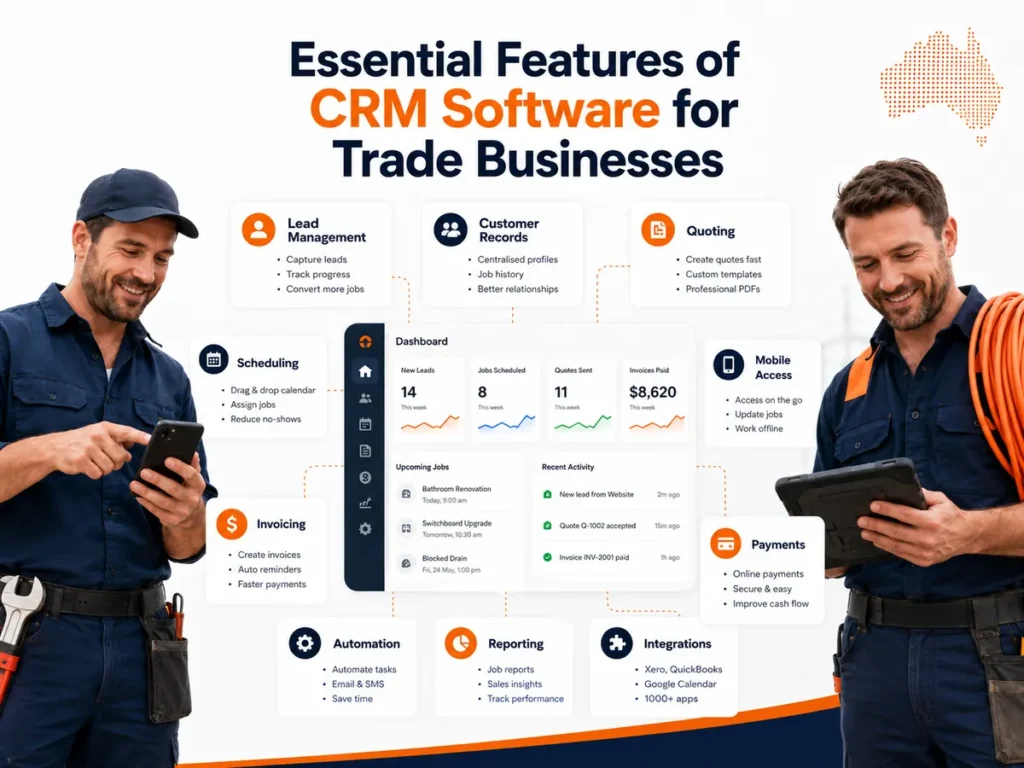
ServiceM8 is the lowest-cost trade-specific option in this comparison because its free plan includes one user and up to 30 new jobs each month. The correct choice still depends on device type and job volume.
The free ServiceM8 plan includes job creation, scheduling, quotes, invoices and customer management. The Starter plan costs AUD $29 per month and includes 50 new jobs per month with unlimited users. The Growing plan costs AUD $79 per month and includes 150 jobs.
ServiceM8 provides its most complete mobile experience on iPhone and iPad. ServiceM8 Lite supports Android devices but is designed around core field tasks rather than the complete iOS capability set.
A sole trader should evaluate five limits before choosing the free plan:
- Monthly job volume
- Required mobile operating system
- Required forms and certificates
- Required automation features
- Expected team growth
A free system is not affordable when it requires extra manual systems for quoting, scheduling or invoicing.
Which CRM is best for simple quote-to-invoice management?
Tradify is suited to small teams that want enquiries, quotes, schedules, jobs, invoices and payments in one cross-platform application.
Tradify supports desktop, tablet, iPhone and Android access. Its Lite plan includes job tracking, scheduling, quotes, invoices, pricing and mark-ups, online payments and accounting synchronisation.
The Pro plan adds:
- Enquiry forms
- Customer communication history
- Job photos and files
- Recurring jobs
- Appointment reminders
- Online quote acceptance
- Progress invoicing
- Quote reminders
- Invoice reminders
- Cost and bill tracking
- Timesheets
- Subcontractor scheduling
The main cost issue is per-user pricing.
At the reviewed Lite rate of AUD $48 per user per month excluding GST:
| Number of users | Monthly subscription |
|---|---|
| 1 | AUD $48 |
| 3 | AUD $144 |
| 5 | AUD $240 |
| 10 | AUD $480 |
This calculation excludes GST, SMS charges, payment fees and optional add-ons.
Tradify is therefore more predictable for a small stable team than for a business rapidly adding field users.
Which CRM is best for job costing and materials?
Fergus is suited to plumbers, electricians and other material-intensive trades that need supplier costs, labour time and invoices connected to individual jobs.
Fergus includes price books, materials, supplier integrations, job cards, timesheets, quoting, invoicing, purchase orders and financial reporting. Its Australian pricing page lists Essentials from AUD $53 per month and Professional from AUD $77 per month.
Fergus also states that its system connects with more than 100 suppliers. Supplier invoices can be imported and matched with jobs, which reduces the gap between the estimated material cost and the actual purchase cost.
A material-intensive trade should test these actions during the trial:
- Import a supplier price.
- Build a quote from labour and material items.
- Convert the quote into a job.
- record actual labour.
- Import the supplier invoice.
- Match the cost with the job.
- Compare estimated and actual margin.
- Generate the final invoice.
Additional charges should be included in the total-cost calculation. Fergus lists timesheet users from AUD $26 per month, contractor access at AUD $4 per user per day and SMS packages at AUD $15 for 100 messages.
Which CRM is best for customer communication?
Jobber is suited to service businesses that prioritise online booking, quote approval, automated reminders, client portals and two-way communication.
Its Core plan supports online job booking, quotes, invoices, payments and reporting. Connect adds automatic customer reminders, quote follow-up, invoice follow-up, checklists, time tracking and QuickBooks Online synchronisation. Grow adds job costing, two-way SMS and workflow automation.
Jobber also provides online quote approval through its client portal. Customers can view a quote, request changes or approve the work online.
Australian buyers should account for three conditions:
- Official subscription prices are displayed in USD.
- Currency movements affect the AUD cost.
- QuickBooks Online integration and automation require higher plans.
Jobber Payments supports accounts in Australia and can process payments in AUD.
Which CRM is best for complex trade operations?
AroFlo is suited to established trade businesses that require CRM, projects, inventory, compliance, maintenance and supplier purchasing in one operating system.
AroFlo includes:
- Work orders
- Quoting
- Scheduling
- GPS tracking
- Maintenance
- Job costing
- Purchase orders
- Supplier catalogues
- Accounting integrations
- Forms
- Compliance documents
- Projects
- Payments
- Asset management
- Inventory
The platform connects with Xero, MYOB, QuickBooks, Stripe and Australian trade suppliers such as Reece and Rexel.
Its Premium plan includes project management, Gantt charts, multi-business units, inventory controls, trade CRM and more than 600 connected suppliers.
These functions are relevant to businesses managing several teams, warehouses, project stages or compliance requirements. They are not automatically valuable to a sole trader handling a small number of service calls.
Which CRM is best for growing field-service companies?
Simpro is suited to growing contractors managing a combination of service jobs, project work, maintenance contracts, inventory and field employees.
Simpro supports:
- Lead management
- Customer records
- Detailed estimating
- Take-offs
- Scheduling
- Dispatch
- Timesheets
- Fleet tracking
- Inventory
- Invoicing
- Payments
- Maintenance
- Financial reporting
- Business intelligence
Its field application allows technicians to access job histories, create jobs, record time, capture photos, complete audits and obtain customer signatures.
Pricing is customised by team size and selected add-ons. A business should request a complete written quotation covering implementation, training, mobile users, integrations, support and optional modules.
What features should an Australian plumber look for?
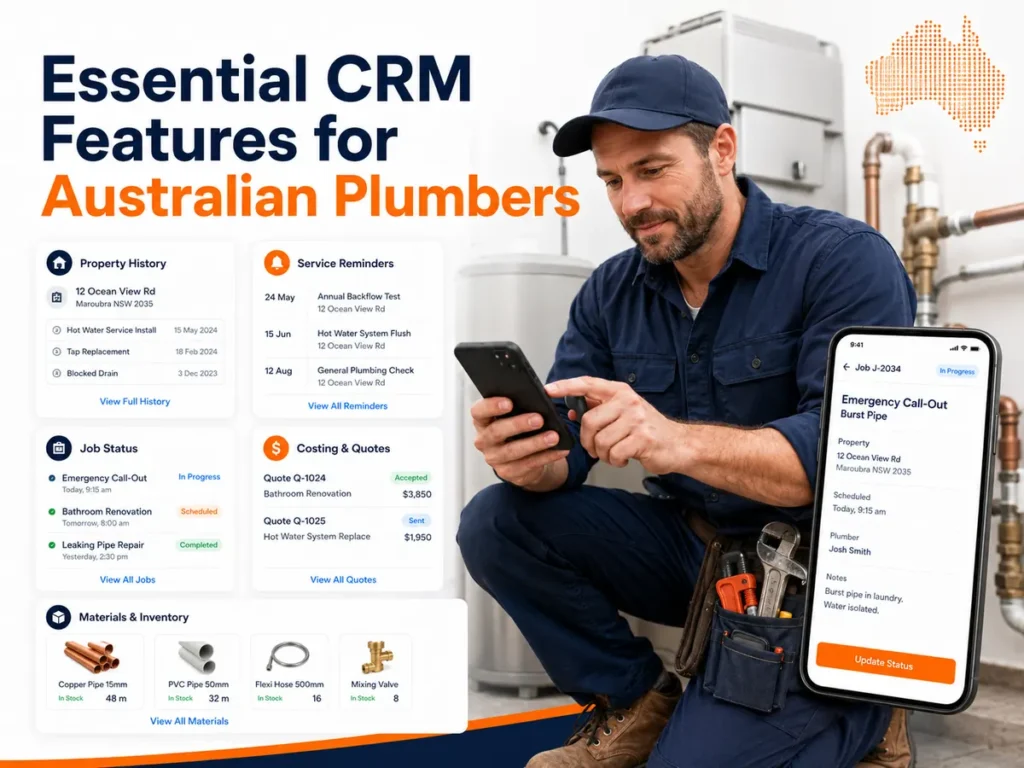
A plumber should prioritise emergency dispatch, property history, mobile job cards, labour and material costing, recurring maintenance, supplier integration and accounting synchronisation.
Emergency call-out management
The system should record:
- Urgency
- Fault type
- Customer location
- Property access
- Available technician
- Expected arrival time
- After-hours rate
- Call-out fee
An emergency blocked drain should not enter the same scheduling queue as a planned bathroom quotation.
Property and asset history
A plumbing customer record should connect the customer with the property and its installed assets.
Useful records include:
- Hot-water system
- Backflow device
- Pump
- Valve
- Fixture
- Previous blockage
- Previous leak
- Warranty
- Service date
- Compliance document
This distinction matters for landlords and property managers because one customer may control several properties.
Material and supplier tracking
A plumbing CRM should record materials such as:
- Copper pipe
- PVC pipe
- Valves
- Fittings
- Taps
- Toilets
- Pumps
- Hot-water components
- Sealants
- Consumables
Each item should contain a cost, sell price, supplier and quantity.
Fergus and AroFlo provide supplier-integration functions designed to connect purchasing data with job costing.
Recurring maintenance
Recurring job functions are relevant to:
- Backflow testing
- Hot-water servicing
- Pump maintenance
- Commercial plumbing inspections
- Preventive drain maintenance
- Property-management contracts
The CRM should create the future job, assign a reminder and preserve the previous service history.
Scope variations
A field worker should record a variation when the required work differs from the approved quote.
The variation record should contain:
- Original scope
- Discovered condition
- Additional labour
- Additional materials
- Revised price
- Customer approval
- Time of approval
This creates an audit trail and reduces invoice disputes.
Which mobile CRM app is best for tradies on the go?
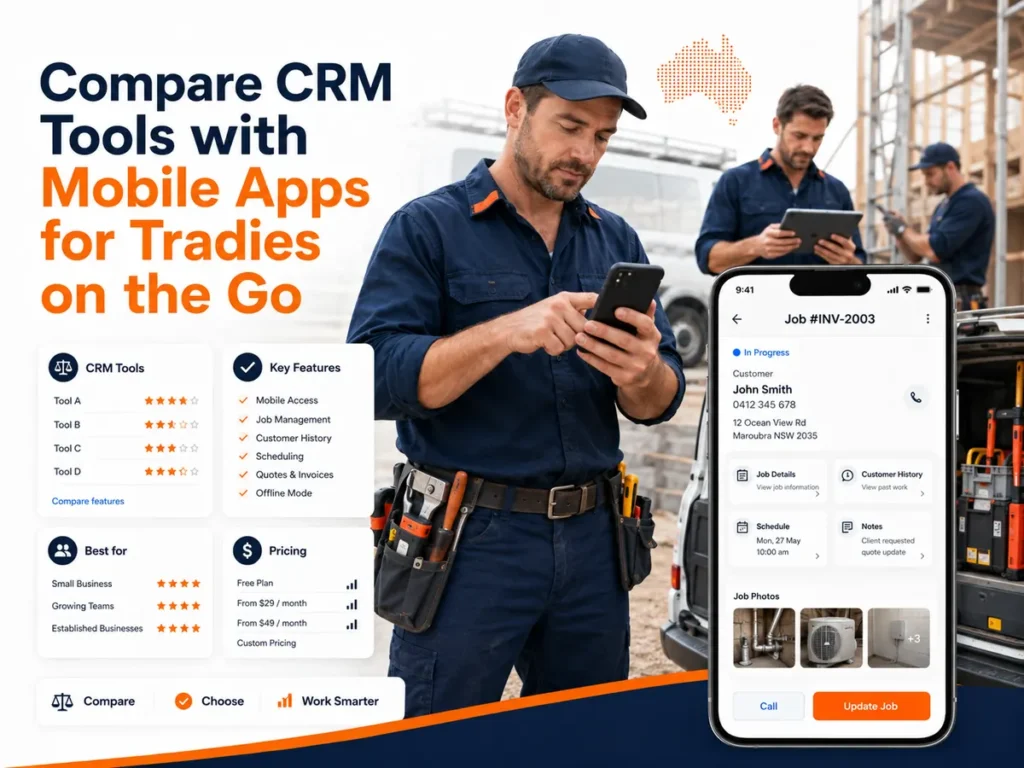
Tradify provides full iOS and Android access. ServiceM8 provides its richest experience on iOS and a lighter Android application. Fergus, Jobber and Simpro also provide mobile field workflows.
A mobile comparison should test actual job-site actions rather than the existence of an app-store listing.
| Mobile function | Why it matters |
|---|---|
| View customer and site details | Prevents calls to the office for basic information |
| View job scope | Clarifies the approved work |
| Add notes | Preserves field observations |
| Capture photos | Records conditions and completed work |
| Create quotes | Reduces delays after site visits |
| Record labour | Improves costing and payroll data |
| Record materials | Improves invoice and margin accuracy |
| Capture signatures | Records customer approval |
| Update job status | Gives the office current information |
| Work offline | Supports low-coverage areas |
| Restrict user access | Protects customer and financial data |
| Remote sign-out | Protects data when a device is lost |
ServiceM8 supports both iOS and Android, but its official documentation states that the iPhone and iPad application is the more feature-rich product. ServiceM8 Lite is intended for Android technicians, subcontractors and temporary workers who require core field functions.
Tradify provides its application on iPhone, iPad and Android and supports mobile quoting, scheduling, job records, photos, notes and invoicing.
Before selecting a system, complete the following mobile test:
- Turn off Wi-Fi.
- Open an assigned job.
- View the property history.
- Add a photo.
- Record labour.
- Add a material.
- obtain a signature.
- Complete the job.
- Restore the connection.
- Confirm that every field synchronised correctly.
What are the benefits of CRM software for small trade businesses?
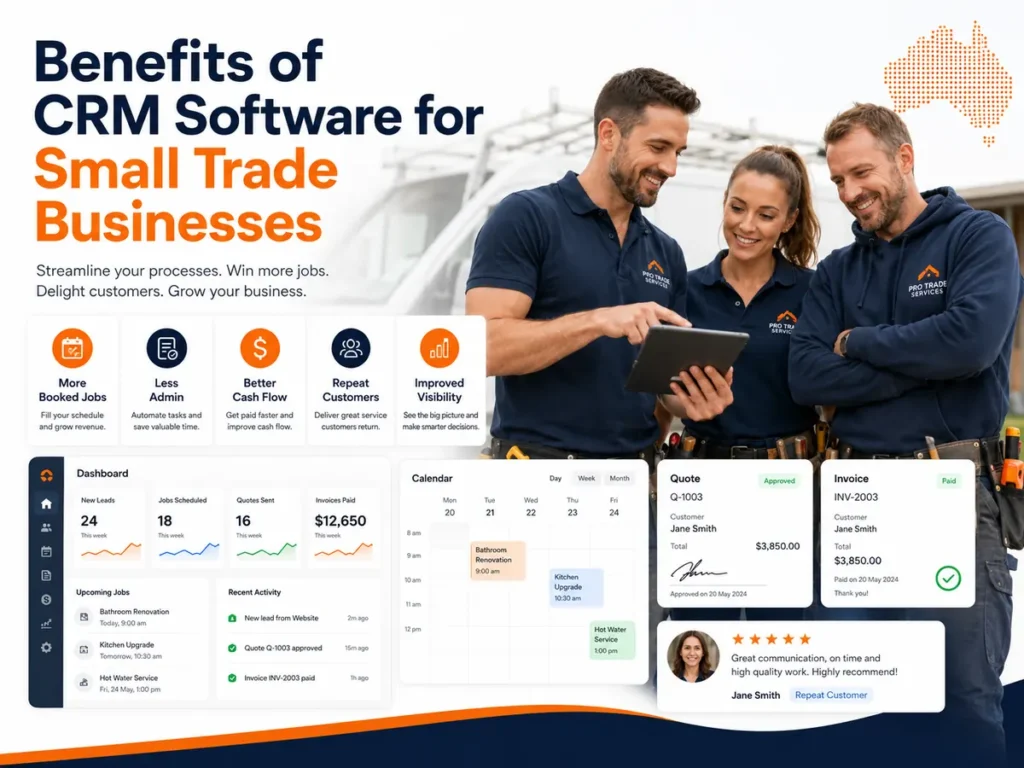
CRM software can reduce repeated administration, improve customer-record accuracy and give staff a shared view of leads, jobs and communication. Benefits depend on data quality, workflow design and staff adoption.
Reduced administration
Templates reduce repeated writing.
Examples include:
- Quote templates
- Invoice templates
- Appointment messages
- Service reminders
- Job checklists
- Compliance forms
Automation reduces repeated actions.
Examples include:
- Assigning new enquiries
- Sending appointment confirmations
- Following up quotes
- Reminding customers about invoices
- Creating recurring jobs
- Requesting reviews
Faster response times
A central enquiry inbox reduces the need to check several channels.
Relevant channels include:
- Phone
- Website forms
- SMS
- Google Business Profile
Measure the time between the enquiry and the first human response.
Better quote conversion
A CRM can record:
- Quote date
- Quote value
- Quote status
- Viewing activity
- Follow-up activity
- Acceptance date
- Decline reason
Use this formula:
Quote conversion rate = accepted quotes ÷ total decided quotes × 100
Do not include quotes that are still open in the denominator.
Faster invoicing
A completed job should trigger an invoice task or create a draft invoice.
Measure:
- Job completion date
- Invoice issue date
- Payment date
Use this formula:
Invoice delay = invoice issue date − job completion date
Better repeat-customer management
A CRM can schedule future contact based on:
- Service interval
- Asset age
- Warranty date
- Previous job type
- Customer segment
- Maintenance contract
Better reporting
The Australian Bureau of Statistics reported that only 10% of businesses actively collected or analysed data to make decisions during 2024–25. A CRM dashboard is useful when the data is complete, consistently entered and tied to a defined business decision.
Recommended CRM metrics are:
| Metric | Formula |
|---|---|
| Lead response time | First response time − enquiry time |
| Enquiry conversion | Booked jobs ÷ qualified enquiries × 100 |
| Quote acceptance | Accepted quotes ÷ decided quotes × 100 |
| Average job value | Job revenue ÷ completed jobs |
| Invoice delay | Invoice date − completion date |
| Days to payment | Payment date − invoice date |
| Repeat-customer rate | Returning customers ÷ total customers × 100 |
| Gross margin | Gross profit ÷ revenue × 100 |
What is the most affordable CRM for sole trader tradies?

ServiceM8 has the lowest published entry cost in this comparison because it provides a free one-user plan. Tradify, Fergus and Jobber require paid subscriptions but may provide a better fit for particular workflows.
“Affordable” should include every operational cost.
Use this calculation:
Total monthly cost = subscription + users + SMS + payment fees + integrations + support + implementation
Cost factors to check
- Base subscription
- Included users
- Additional users
- Included jobs
- Additional job charges
- SMS charges
- Email limits
- Payment-processing fees
- Accounting integration
- Setup fee
- Data migration
- Training
- Contract length
- Cancellation rules
- Data export
A generic free CRM may manage leads and contacts but omit scheduling, job cards, quotes and invoicing. The business may then pay for four separate systems.
A trade-specific system may have a higher subscription but a lower total technology cost when it replaces several disconnected applications.
How should a tradie choose the right CRM?
Choose the system that resolves the three highest-cost workflow failures without adding unnecessary operational complexity.
Use the following process.
Step 1: Map the current workflow
Write every stage:
- Enquiry received
- Customer contacted
- Site visit booked
- Quote prepared
- Quote approved
- Job scheduled
- Work completed
- Invoice issued
- Payment received
- Follow-up sent
Step 2: Identify the failures
Record measurable problems.
Examples include:
- 12 unanswered enquiries per month
- 3-day average quote delay
- 4 scheduling conflicts per month
- 7-day invoice delay
- Unknown material cost on 30% of jobs
Step 3: Define mandatory features
Mark each feature as:
- Required now
- Required within 12 months
- Optional
- Not required
Step 4: Calculate total cost
Include all users, messages, transactions, training and add-ons.
Step 5: Run a real workflow test
Create:
- One lead
- One customer
- One quote
- One job
- One variation
- One invoice
- One payment
- One recurring reminder
Step 6: Test the mobile application
Use the same phones and tablets that employees use on-site.
Step 7: Test the accounting integration
Confirm which records move between the systems.
Examples include:
- Contacts
- Items
- Quotes
- Invoices
- Payments
- Timesheets
Step 8: Check data export
Confirm that customer records, job histories, photos and documents can be exported when the subscription ends.
How should a trade business implement CRM software?
A CRM should be introduced through a controlled pilot before the full team changes its daily workflow.
A 2024 University of Technology Sydney ethnographic study examined how cloud-software adoption changes established work practices in Australian small businesses. The research reinforces that software implementation is an organisational change process, not only a technical installation.
Use this implementation sequence:
- Audit existing data.
- Remove duplicate contacts.
- Define customer and job fields.
- Create lead stages.
- Create job statuses.
- Configure user permissions.
- Connect critical integrations.
- Build templates.
- Import a small data sample.
- Run a two-week pilot.
- Correct workflow problems.
- Train the remaining users.
- Import the complete dataset.
- Review adoption after 30 days.
The pilot should include one office user and one field user.
Measure:
- Missing customer details
- Incomplete job cards
- Failed synchronisations
- Quote preparation time
- Invoice delay
- User support requests
How should customer data be protected on personal phones?
Require multi-factor authentication, role-based access, device locks, current software and immediate access removal when a worker leaves or loses a device.
The Australian Cyber Security Centre recommends multi-factor authentication, current software and regular backups as three initial security controls for small businesses. It also recommends restricting users to the information required for their role.
Use separate permission levels for:
- Business owner
- Office administrator
- Estimator
- Field technician
- Apprentice
- Subcontractor
- Bookkeeper
An apprentice may need job addresses, instructions and checklists. The same user may not need access to revenue reports, customer exports or payment settings.
Apply these controls:
- Enable multi-factor authentication.
- Require a PIN, password or biometric device lock.
- Set automatic screen locking.
- Revoke access when employment ends.
- Avoid shared administrator accounts.
- Update mobile applications and operating systems.
- Back up business records.
- Test remote device sign-out.
- Review user permissions every 90 days.
- Record security incidents.
The Australian Cyber Security Centre states that access controls can limit the impact of an account or device compromise by restricting each employee to the files and systems needed for their work.
Can AI replace CRM software for tradies?
No. AI can generate, classify or summarise information, but the CRM remains the structured system that stores customer, job and transaction records.
Useful AI functions include:
- Call transcription
- Call summaries
- Lead classification
- Suggested replies
- Quote descriptions
- Job-note summaries
- Email drafting
- Appointment suggestions
- Duplicate detection
- Predictive lead scoring
AI output should remain attached to a verified customer or job record.
The Australian Bureau of Statistics reported that 12% of Australian businesses used artificial intelligence during 2024–25. Adoption was higher among innovation-active businesses at 20%, compared with 6% among non-innovation-active businesses.
AI should not make an unsupervised decision about:
- Final quote price
- Legal terms
- Safety instructions
- Compliance certification
- Scope approval
- Refund decisions
- Payment disputes
Frequently asked questions
What does CRM stand for?
CRM stands for customer relationship management, which is the process and software used to organise customer information, communication and sales activity.
Do sole traders need a CRM?
A sole trader needs a CRM when enquiries, follow-ups, quotes or customer histories can no longer be managed reliably through one calendar, inbox or accounting system.
Is there a free CRM for tradies?
Yes. ServiceM8 provides a free plan for one user and up to 30 new jobs per month, subject to its current plan conditions.
Can a tradie CRM create quotes and invoices?
Yes. Trade-specific CRM platforms commonly connect customer records with quotes, approvals, jobs, invoices and payments.
Can CRM software integrate with Xero?
Yes. ServiceM8, Tradify, Fergus, AroFlo and Simpro provide accounting integration options, but the exact records and synchronisation direction should be tested.
Can CRM software track subcontractors?
Some platforms can schedule subcontractors, restrict their permissions and record assigned work, but access models and charges differ by provider.
Does tradie CRM software work offline?
Offline capability varies by platform and mobile operating system, so the application should be tested without mobile data before purchase.
How long does CRM implementation take?
Implementation time depends on data volume, integrations, workflow complexity and team size; a small business should complete a controlled pilot before full migration.
What reports should a tradie CRM provide?
A useful CRM should report lead response time, quote acceptance, job status, invoice delay, payment status, repeat customers and job profitability.
Which CRM is best for plumbers?
Fergus is suitable for material and supplier cost control, while ServiceM8 and Tradify suit smaller plumbing teams needing mobile scheduling, quoting and invoicing.
What is the final CRM recommendation for Australian tradies?
ServiceM8 is the strongest low-cost starting point for sole traders. Tradify provides a simple cross-platform workflow. Fergus provides deeper cost control. Jobber prioritises customer communication. AroFlo and Simpro suit more complex operations.
Use the business problem as the decision rule:
| Main problem | Suitable starting option |
|---|---|
| Need a low-cost system for one user | ServiceM8 |
| Need simple iOS and Android access | Tradify |
| Need supplier costs and job profitability | Fergus |
| Need online booking and client communication | Jobber |
| Need inventory, compliance and projects | AroFlo |
| Need scalable service and project operations | Simpro |
Do not purchase a platform because it has the longest feature list.
Purchase it when the system can:
- Capture every relevant enquiry.
- preserve one accurate customer history.
- Produce quotes without repeated entry.
- Schedule workers without conflicts.
- Give field workers the correct job information.
- Record actual labour and materials.
- Issue invoices without delay.
- Synchronise financial data accurately.
- Restrict access by role.
- Produce reports that support a defined decision.


