
A suspended Google Business Profile can make it harder for Australian customers to find your plumbing, electrical, roofing or building business through Google Search and Maps.
To request reinstatement, first confirm the suspension, review Google’s stated policy issue, check that your business information meets its requirements and prepare supporting evidence before submitting an eligible appeal.
Australian tradies may need documents such as an Australian Business Number (ABN) record, ASIC business name registration, relevant trade licence or business utility bill. The appropriate evidence depends on the reason for the restriction.
Google provides an official appeal process, but approval is not automatic. A legally registered trade business can still have a Google Business Profile that fails Google’s separate eligibility requirements.
This guide explains how to identify a suspension, investigate common causes, prepare Australian business documents, submit an appeal and request an additional review if your first appeal is unsuccessful.
What Should You Do Immediately After a Google Business Profile Suspension?
Check your existing Business Profile and Google’s moderation decision before changing business information or submitting an appeal.
A suspension can disrupt an important customer acquisition channel, particularly for tradies who depend on Google Maps enquiries.
However, acting without understanding the restriction can make the recovery process more complicated.
Start with this checklist.
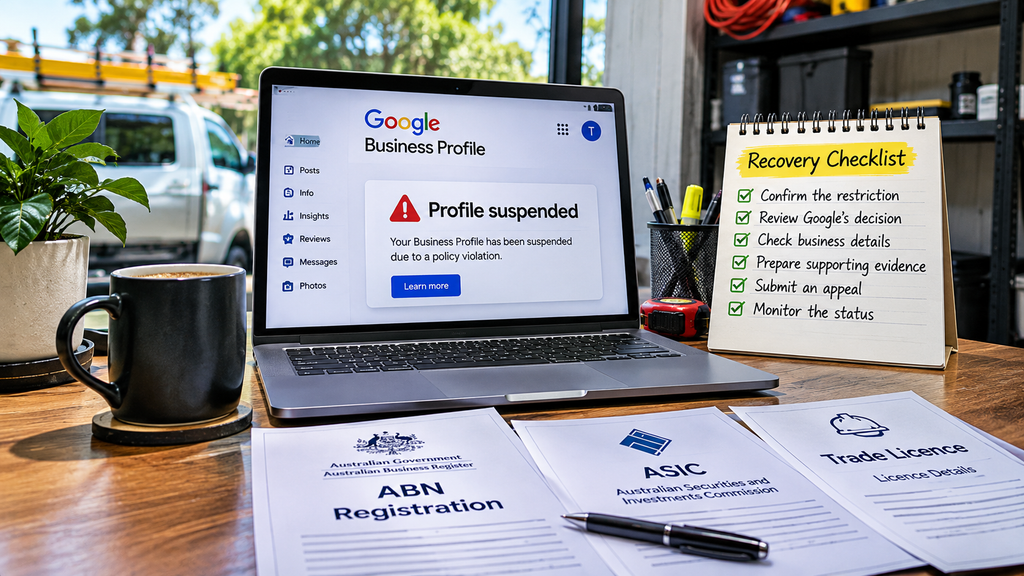
Google Business Profile Suspension Recovery Checklist
- Confirm the restriction. Sign in to the Google Account managing your profile and check whether Google has suspended or disabled it.
- Review the decision. Open Google’s Business Profile appeals guidance and follow the link to the official appeals tool.
- Identify the affected account or listing. Determine whether the restriction concerns one Business Profile, several locations or the managing Google Account.
- Check business eligibility. Review your business name, operating address, service-area configuration and other information against Google’s policies.
- Prepare supporting evidence. Gather genuine registration, licensing or location documents relevant to the restriction.
- Submit your eligible appeal. Follow the workflow displayed by Google and include relevant evidence where the tool permits it.
- Monitor the decision. Check your appeal status and the email account associated with your Business Profile.
- Investigate further if denied. If Google rejects the appeal, check whether an additional review is available.
Do not create a replacement Business Profile for the same business to bypass a suspension.
You should also keep your website, business phone number and enquiry forms working while the issue is being investigated.
How Can You Confirm Why Your Google Business Profile Was Suspended?
A missing Google Maps listing does not automatically mean your Business Profile has been suspended. Check the profile’s management view, verification status and moderation information before choosing a recovery process.
A suspension, a disabled profile, a verification problem and a Google Account restriction are different situations.
For example, a Melbourne electrician might discover that their business is no longer appearing for a particular local search. That alone does not establish that Google has suspended the listing.
The business may have a verification issue, a visibility problem or an actual policy restriction.
How to Identify the Type of Problem
| What you notice | Possible explanation | What to check |
| A suspension or disablement decision appears | The Business Profile is restricted | Moderation decision and appeal eligibility |
| The listing is missing from Maps without a suspension decision | Verification or visibility issue | Profile management view and verification status |
| Several profiles are affected | Possible account-level or multiple location restrictions | Account notices and individual profile decisions |
| Your home address is publicly visible | Potential service-area configuration problem | Whether customers are received at the address |
| The appeal says “Not Approved” | Google has rejected the initial appeal | Additional-review options |
| The appeal is approved, but information remains missing | Possible post-reinstatement issue | Public listing, verification and Google support |
Google’s appeals tool can display the moderation date, reason, relevant policy, appeal eligibility and decision status.
Use that information as your starting point. Avoid assuming that a recent profile edit or competitor report caused the suspension unless the available evidence supports that conclusion.
What Happens When Google Suspends a Business Profile?
Depending on the enforcement action, a suspension or disablement can restrict public access to the profile and affect the owner’s ability to manage it.
For an Australian plumbing company, this may interfere with calls and enquiries that previously came through its Google listing.
A roofing contractor that relies mainly on referrals may experience a different level of disruption.
The suspension notice itself does not establish how much revenue or how many enquiries have been lost.
Your priority should be restoring compliance while maintaining other legitimate ways for customers to contact the business.
What If Your Managing Google Account Is Restricted?
An account-level restriction requires different attention from a suspension affecting just one Business Profile.
Google’s guidance distinguishes restrictions involving a Business Profile, an owner’s account and a manager’s account.
When a Business Profile owner’s account is restricted, locations owned by that account may also be affected. A restriction involving a manager can affect that manager’s access without necessarily removing the locations.
If the managing account is restricted, follow Google’s account appeal instructions rather than assuming that separate ABN documents submitted to each listing will resolve the problem.
Google provides an account appeal route through its account management page.
After the relevant account restriction is resolved, follow any remaining profile-level reinstatement instructions.
Businesses managing multiple locations should keep a record of the affected profiles, their Business Profile IDs and the relevant moderation decisions.
For more detail, consult Google’s suspended and disabled profile guidance.
What Causes Google Business Profile Suspensions for Australian Tradies?
Business Profile restrictions can result from violations of Google’s business representation, eligibility or content policies.
For Australian trade businesses, important areas to investigate include inaccurate business names, ineligible addresses, service-area settings, duplicate profiles and restrictions affecting the managing account.
A legitimate Australian business does not automatically qualify for every type of Google Maps listing.
Google evaluates how the business operates and whether the profile accurately represents its real-world activities.
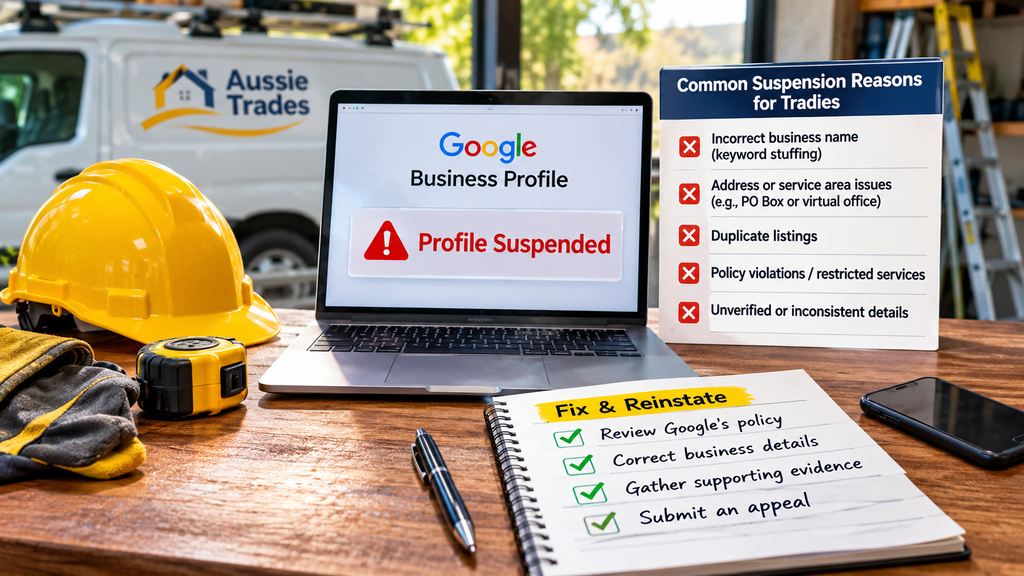
1. Adding Keywords to Your Business Name
Google expects the name on your Business Profile to reflect the name your business genuinely uses.
Consider a hypothetical plumbing company registered and branded as “Harbour Plumbing Services”.
Its Business Profile displays:
“Harbour Plumbing Services – Best Emergency Plumber Sydney – Blocked Drains 24/7”
If the additional wording is not part of the company’s genuine business name, the listing may violate Google’s naming requirements.
Relevant services belong in the appropriate business categories, service fields and website content rather than being added to the business name for ranking purposes.
Before submitting an appeal involving a business-name issue, compare the profile with your:
- Registered business name
- Business website
- Invoices and stationery
- Genuine signage and branding
- Customer-facing business identity
If these sources show different names, determine why they differ and whether the profile accurately reflects the real business.
2. Showing a Home Address That Customers Do Not Visit
Many Australian tradies operate from home but perform their services at customers’ properties.
Google calls this type of operation a service-area business.
A plumber based in Parramatta might travel across Western Sydney to repair blocked drains, fix hot-water systems and complete emergency plumbing work.
If customers do not visit the plumber’s residential address to receive services, the public Business Profile address should be hidden.
The same principle applies to mobile electricians, roofers, air-conditioning technicians and other contractors who travel to customers.
Google can still require accurate information about where the business operates.
Hiding a residential address does not make a false or ineligible location acceptable.
Storefront, Service-Area and Hybrid Businesses
| Business type | How it operates | Address treatment |
| Service-area business | Travels to customers without receiving them at its business address | Hide the address from public view |
| Storefront business | Receives customers at an eligible physical location | May display its address |
| Hybrid business | Receives customers at its premises and visits customers elsewhere | May display its eligible address and specify service areas |
For example, an electrical contractor with a permanently signed, staffed workshop where customers can visit during stated hours may qualify as a storefront or hybrid business.
A home-based electrician who only performs work at customers’ properties should generally use a service-area configuration.
Read Google’s service-area business guidance before changing address visibility.
3. Using an Ineligible Virtual Office or Mailing Address
A virtual office can create problems when it does not represent a genuine business operating location.
Consider a hypothetical Newcastle roofing contractor that rents a Sydney mailing address to appear in searches for Sydney roofers.
If the contractor does not genuinely operate from that location, receiving mail there does not establish eligibility for a separate Google Business Profile.
Google also places conditions on coworking offices.
A coworking location generally needs appropriate business signage, staffing by the business and the ability to receive customers during its stated operating hours to qualify as a customer-facing location.
A postal address, rented desk or occasional meeting room is not automatically an eligible storefront.
If your suspension involves an address, investigate the actual operations at that location rather than relying solely on an ABN or lease.
4. Creating Duplicate Profiles for Different Suburbs
Serving several suburbs does not automatically justify having several Google Business Profiles.
For example, an electrician operating from one base in Brisbane should not create separate listings for every suburb the business visits.
Google generally permits one service-area profile for a business operating from one location.
Separate locations may qualify for individual profiles if they have genuine operating arrangements, separate service areas and the staffing needed to meet Google’s requirements.
A contractor with two legitimate staffed branches should therefore be assessed differently from a single mobile business creating multiple listings for search visibility.
5. Listing Inaccurate Service Areas
Google permits up to 20 service areas for eligible service-area and hybrid businesses.
Locations can be defined using supported geographical areas, such as cities and postcodes.
Google’s general guidance recommends that the overall service area should not extend much beyond approximately two hours’ driving time from the business base, although exceptions can apply.
For example, a Perth air-conditioning technician should list areas the business genuinely serves rather than adding distant Australian cities simply to attract more search traffic.
Adding more suburbs does not create additional physical locations or guarantee better local rankings.
6. Changing Important Business Information
Changes to a Business Profile can result in verification or compliance reviews.
Common examples include:
- Changing the business name
- Moving to a new operating address
- Switching between storefront and service-area configurations
- Adding a new business location
- Updating business categories or contact information
A genuine business relocation is not the same as claiming an address where the business does not operate.
If a suspension follows an edit, review the moderation decision and relevant policy. The timing alone does not prove which change caused the restriction.
Accurate, consistent business information is also a fundamental part of Google Business Profile optimisation for tradies, although optimisation and reinstatement approval are separate processes.
How to Reinstate a Suspended Google Business Profile: Step by Step
The reinstatement process involves confirming the restriction, reviewing compliance, preparing evidence, submitting an eligible appeal and monitoring the decision.
Google determines the outcome. There is no document, template or SEO agency that can guarantee approval.
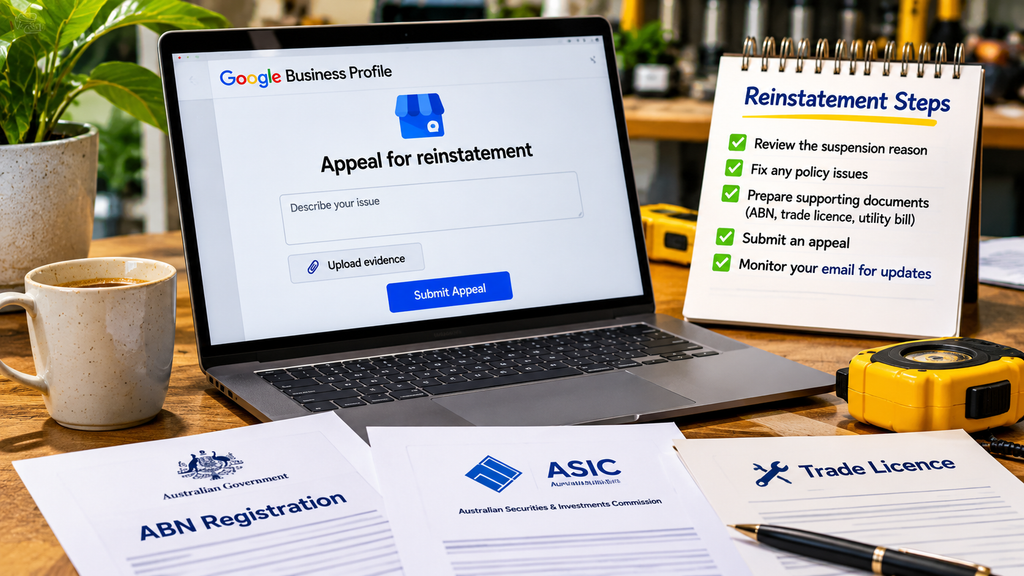
Step 1: Open Google’s Official Business Profile Appeals Tool
Sign in to the Google Account associated with your affected Business Profile.
Open Google’s Business Profile appeals guidance and follow the link to the official appeals tool.
Select the affected business and examine the decision you want to appeal.
Depending on the decision and the interface displayed, Google may provide information about:
- The moderation date
- The reason for the restriction
- The relevant policy
- Whether an appeal is available
- The current decision status
Read the linked policy before submitting an appeal.
A suspension involving a business address may need different evidence from a restriction involving the managing Google Account.
If you cannot identify an eligible appeal in the tool, check Google’s support instructions rather than creating a new profile.
Step 2: Check and Correct Business Profile Compliance Issues
Review your profile against Google’s Guidelines for Representing Your Business on Google.
Focus on the information that establishes your business’s identity and actual operations.
Business name: Does it reflect genuine, established branding without unsupported promotional wording?
Operating location: Does the business genuinely operate from the stated address?
Address visibility: Is the address hidden if customers are not served there?
Business category: Does the selected primary category accurately describe your main trade?
Service areas: Do they reflect locations the business actually serves?
Phone and website: Do they belong to and accurately represent the business?
Additional locations: Are separate profiles supported by genuine operating locations and appropriate staffing?
Correct confirmed violations where profile access and Google’s instructions permit changes.
If the suspended profile cannot be edited, record the discrepancy and explain it accurately through the available appeal or support route.
Avoid inventing an address, altering documents or making unrelated changes in an attempt to gain approval.
Step 3: Prepare Evidence Before Submitting Your Appeal
Collect documents that demonstrate your business identity, relevant operating location and eligibility.
For Australian tradies, these may include:
- ABN records
- ASIC business name registration
- Relevant business or trade licences
- Business utility bills
- Applicable tax or registration certificates
The strongest evidence depends on the problem Google is reviewing.
A business-name mismatch requires different evidence from a questionable operating address.
Documents should genuinely relate to the business and support the details under review.
Google recommends that submitted business names and addresses match the relevant profile information. If your Australian legal name and registered business name differ, include genuine records establishing the relationship.
Do not edit documents to create an artificial match.
The next section provides a detailed Australian evidence guide.
Step 4: Submit Your Reinstatement Appeal
Once you understand the restriction and have prepared your evidence, follow the submission workflow shown in Google’s appeals tool.
Google’s official help documentation describes different evidence-submission interfaces.
Some versions allow you to attach supporting files and enter an explanation before confirming the appeal.
Other instructions describe an evidence form that appears after the initial appeal submission.
Important: If Google presents a separate evidence form after you submit your appeal, complete it within the specified 60-minute window so the evidence can be attached.
Prepare your documents before starting.
Your explanation should establish:
- What your business does
- Where it genuinely operates
- How it serves customers
- Which eligibility issue is relevant
- What evidence supports your business information
Keep the explanation factual.
For example, a home-based electrician could explain that electrical services are delivered at customers’ properties and that the residential address is not a customer-facing location.
Attach evidence that supports those statements.
Avoid focusing on competitors, unrelated ranking complaints or unsupported claims that Google made a mistake.
An eligible appeal should be reviewed carefully before its final submission. Google restricts repeat appeal submissions through the applicable process.
Step 5: Check Your Appeal Status
After submitting your appeal, monitor the official tool and the email account associated with your Business Profile.
Google may display statuses such as:
| Appeal status | Meaning |
| Submitted | Your appeal has been submitted for review |
| Approved | Google has approved the appeal |
| Not Approved | The appeal was not approved |
| Eligible for Appeal | The decision may be appealed |
| Can’t Be Appealed | The decision is not eligible through that appeal route |
A submitted appeal is not a reinstatement approval.
Do not create a duplicate listing or submit repeated appeals for the same issue while waiting for a decision.
If Google approves the appeal, check the original Business Profile and follow any additional verification instructions.
What Australian Documents Can Help Reinstate a Google Business Profile?
Australian business registration and licensing documents can support a reinstatement appeal when they establish the identity or operations being questioned.
However, no single document guarantees approval.
A business may be properly registered under Australian law while using a Google Business Profile address that does not qualify under Google’s rules.
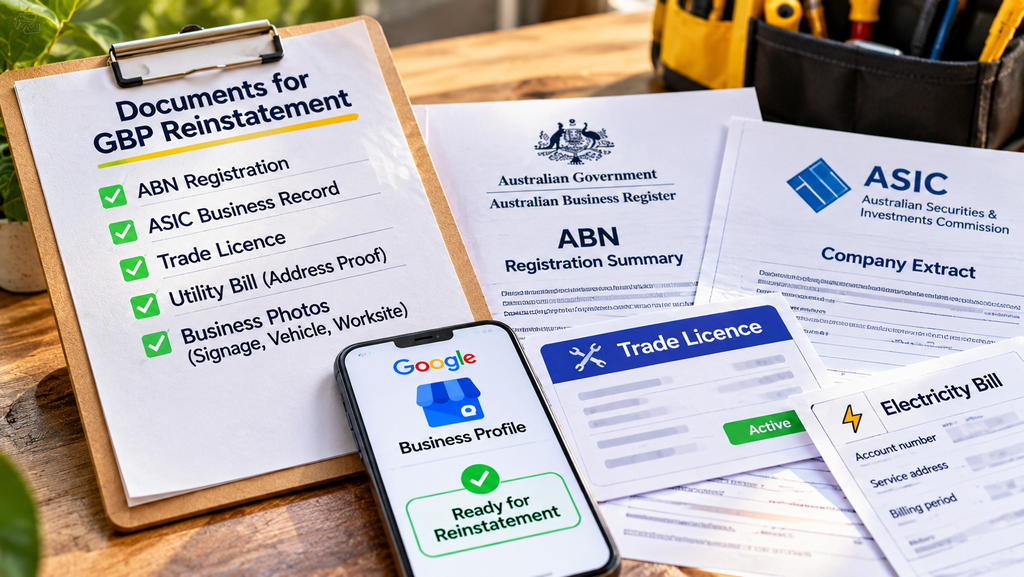
The following table explains how different evidence types may help.
| Evidence | What it can establish | Limitation |
| ABN record | Business identity and Australian registration information | Does not independently prove location eligibility |
| ASIC business name registration | Registered customer-facing business name | Does not establish that a rented office is an eligible storefront |
| Trade or business licence | Authorisation relevant to the business or trade | Does not automatically qualify every additional business location |
| Business utility bill | Connection between a business and premises | Does not independently prove customer-facing operations |
| Tax or registration certificate | Legal or tax identity | Must relate to the business being appealed |
| Genuine business branding and operational evidence | How the business represents itself or operates | Must be relevant to the issue and accepted through the available process |
How to Match Evidence to a Suspension Issue
The most useful evidence addresses the specific eligibility question.
| Potential issue | Evidence to consider | What to establish |
| Business-name mismatch | ASIC registration, genuine branding, invoices | Connection between the real business name and the profile |
| Unclear legal identity | ABN record, ASIC documents, relevant licences | Identity of the business represented |
| Operating-address concern | Appropriate utility bills and genuine premises records | Actual connection to the operating location |
| Customer-facing premises concern | Genuine signage, staffing and customer reception evidence | Whether the premises meet Google’s storefront requirements |
| Additional location questioned | Separate operating records and staffing evidence | Whether the additional location is independently eligible |
| Service-area configuration questioned | Accurate profile settings and genuine operational information | Where the business actually operates and serves customers |
Not every form of evidence listed above can necessarily be uploaded through every appeal interface. Follow the options Google provides.
What If Your Legal Name and Business Name Are Different?
Australian business structures can create legitimate differences between legal names and customer-facing names.
For example, a sole-trader plumber may operate under a personal legal name while using a separately registered plumbing business name.
The ABN record may identify the individual or legal entity, while ASIC records establish the registered business name.
That difference is not automatically a policy violation.
However, Google may need sufficient evidence connecting the records to the Business Profile.
Use documents that establish the relationship rather than changing the listing to an unfamiliar name or modifying records.
You can check relevant information through:
A historical trading name shown on ABN Lookup is not necessarily the same as a currently registered business name. Check the business’s actual registration status when preparing evidence.
Are Trade Licences Useful for Google Business Profile Reinstatement?
A relevant trade licence may help demonstrate that a business is authorised to perform regulated work.
However, licensing requirements differ across Australian states, territories and trades.
For example, a Queensland building contractor may hold credentials issued through the Queensland Building and Construction Commission (QBCC).
An electrical contractor in New South Wales operates within a different licensing framework.
A valid licence can support the business’s identity or genuine operations, but it does not automatically prove that a virtual office, residential storefront or additional location qualifies for a public Google Business Profile.
Google Business Profile Appeal Example for an Australian Service-Area Tradie
The following is a hypothetical example showing how an Australian electrician could organise a factual appeal explanation.
It is not a real client case study, and the wording does not guarantee reinstatement.
Example: Home-Based Electrician With a Suspended Listing
Suppose an electrician operates from a residential base in Brisbane.
The electrician performs installations, maintenance and repairs at customers’ homes and commercial premises.
Customers do not visit the residential property.
The business should be represented accurately as a service-area business, with the residential address hidden from public view.
If its profile becomes suspended, the owner should first check Google’s moderation decision and the actual operating information.
Once the relevant compliance issues have been addressed, a truthful appeal explanation could follow this structure.
Sample Google Business Profile Reinstatement Appeal
Subject: Request for Review of Suspended Google Business Profile
I am requesting a review of the suspension affecting the Google Business Profile for [Registered Business Name].
Our business provides [Describe Genuine Trade Services] to customers in [Actual Service Area, State].
We operate from [Actual Operating Base] and perform our services at customers’ properties. We do not receive customers at our operating address.
We have reviewed Google’s Business Profile guidelines and the relevant restriction. [Describe Any Confirmed Compliance Corrections or Explain Why the Business Meets the Applicable Requirement.]
Our supporting evidence includes [List of Genuine Documents], which establishes our business identity and relevant operations.
We respectfully request a review of our Business Profile’s eligibility for reinstatement.
Thank you for considering our appeal.
How to Use This Example Correctly
Replace the placeholders with accurate information.
Do not claim that a problem has been resolved unless it actually has been.
If Google questions your operating location, provide evidence relevant to that location.
If the issue concerns the registered business name, focus on establishing the connection between the displayed name and genuine business records.
If Google has restricted the managing account, follow the applicable account appeal procedure instead of assuming a profile explanation will resolve the restriction.
Accurate evidence and compliance matter more than persuasive appeal wording.
What If Google Requires Video Verification?
Google may require video verification to establish that a business exists, operates where it claims and is managed by an authorised person.
Verification is different from reinstatement.
An approved appeal can be followed by further verification requirements, and a verified profile can still become suspended if it violates Google’s policies.
For a service-area tradie, Google may ask for evidence of the operating location, professional equipment and management authority.
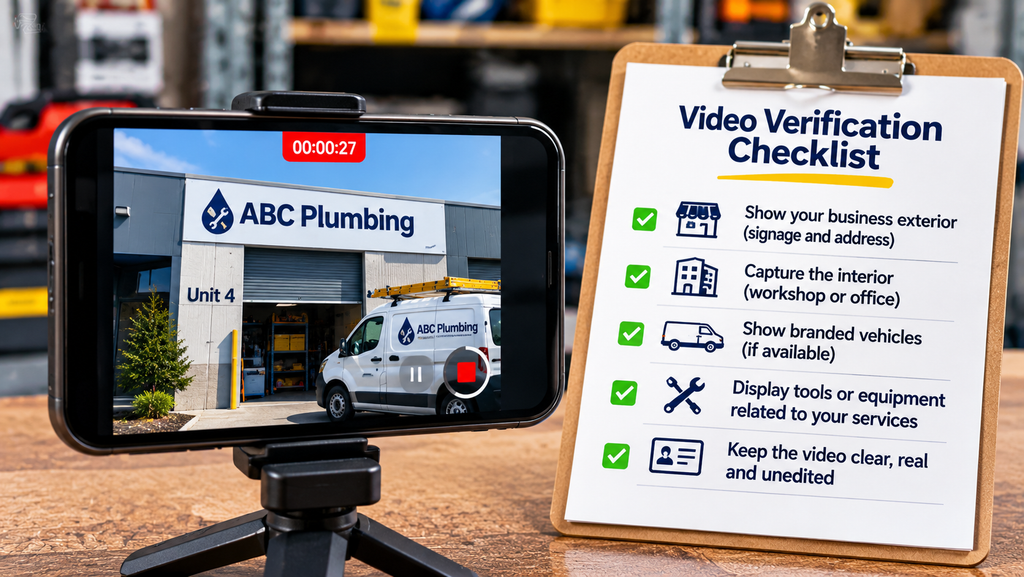
Video Verification Checklist for Australian Tradies
If Google offers video verification, prepare the recording before beginning.
1. Show where the business operates.
Include relevant street signs, building numbers or nearby location identifiers that help establish the actual operating area.
A home-based tradie may be able to show nearby street signs or landmarks without publicly displaying the residential address on the profile.
2. Show genuine professional equipment.
Depending on the trade, suitable evidence may include electrical tools, plumbing equipment, roofing tools, specialised machinery or a work vehicle.
3. Demonstrate management of the business.
Google may ask for evidence that the person recording the video can access business-only property or assets.
For example, an electrician might demonstrate access to a branded work vehicle or relevant professional equipment.
4. Follow Google’s video requirements.
Google’s guidance specifies that a verification video must be:
- At least 30 seconds long
- Continuous and unedited
- Recorded live through the supported mobile workflow
- Uploaded through the Business Profile verification process
Do not upload a previously recorded and edited marketing video.
5. Protect sensitive information.
Avoid exposing bank account numbers, tax identifiers, personal identity documents or other people’s faces.
Follow Google’s instructions for any documents shown during verification.
A branded vehicle alone may not satisfy every verification requirement.
For full instructions, see Google’s video verification guidance.
How Long Does Google Business Profile Reinstatement Take?
Google states that appeal reviews and decisions can take up to five business days, but this is not a guaranteed reinstatement timeframe.
The result depends on the restriction, available evidence and Google’s assessment.
A straightforward business-profile appeal may involve different considerations from an account-level restriction or a dispute involving several operating locations.
The stated review timeframe should not be interpreted as a promise that search visibility, reviews or all profile functions will return within five business days.
What Should You Do While Waiting for a Decision?
Continue operating through your legitimate customer contact channels.
For example:
- Confirm your business phone is working.
- Check that website enquiry forms are functioning.
- Monitor your business email.
- Keep existing customer appointments and communications organised.
- Check the official appeals tool for updates.
Avoid creating a replacement Google Maps listing.
Do not submit multiple appeals for the same issue while Google is reviewing the original request.
If the review takes longer than the published timeframe, consult Google’s current support guidance for the appropriate next action.
What Should You Do if Google Rejects Your Business Profile Appeal?
A rejected reinstatement appeal does not necessarily mean that every further review option is unavailable.
Google provides an additional-review route for some denied reinstatement requests.
The most useful next step is to identify what your first appeal may not have established.
Consider a hypothetical builder operating from a commercial workshop.
The builder submits an ABN record, but the underlying concern involves the eligibility of the workshop address.
The ABN may establish business identity without resolving whether the listed location satisfies Google’s storefront requirements.
Submitting another copy of the ABN may add little value.
More relevant evidence would need to address the actual operating-location question.
How to Prepare for an Additional Review
Before requesting another review:
- Read the initial appeal decision and available policy information.
- Identify any unresolved eligibility or business representation issue.
- Check whether Google offers an additional-review procedure for the denied request.
- Gather new, relevant evidence that was not included in the original appeal.
- Submit through the official route, explaining the relevant facts clearly.
Google may not disclose every factor behind a decision.
Treat an unconfirmed cause as a possibility, not an established finding.
Use Google’s suspension and reinstatement guidance to find the current additional-review procedure.
What If You Manage More Than 10 Suspended Business Profiles?
Google provides a separate bulk appeal procedure for businesses appealing more than 10 profiles.
This process may require a spreadsheet containing the relevant Business Profile IDs and supporting evidence.
Google’s documentation also notes that bulk appeal status information may only update for the selected profile in the tool.
If several Australian branches are affected, keep detailed records of each location, the managing account, the associated restriction and the supporting documents.
Do not assume that a bulk appeal removes the need for every location to meet Google’s eligibility requirements.
Will You Lose Your Google Reviews After a Suspension?
A suspension can make a Business Profile and its reviews unavailable to customers, but this does not automatically prove that the reviews have been permanently deleted.
The outcome depends on the enforcement action and what happens to the original listing.
For an established roofing company, years of legitimate reviews may be associated with its existing Business Profile.
Creating a replacement listing is not a reliable way to preserve those reviews or bypass a restriction.
After reinstatement, inspect the original public listing and check whether legitimate reviews and other content remain visible.
If something is missing, use Google’s support options for issues affecting a reinstated profile.
What Should You Check After Your Google Business Profile Is Reinstated?
After Google approves your appeal, confirm that the original profile is accessible and accurately represents your business.
An approved appeal is an important step, but it may not resolve every outstanding profile or verification issue.
Use this post-reinstatement checklist.
| Item to check | What to confirm |
| Business name | Matches genuine, established branding |
| Primary category | Accurately describes the main trade |
| Operating address | Represents an eligible business location |
| Address visibility | Hidden when customers are not served there |
| Service areas | Reflect locations genuinely served |
| Phone number | Connects customers with the actual business |
| Website | Links to the correct business website |
| Opening hours | Reflect genuine operating or customer-facing hours |
| Reviews | Legitimate reviews are visible where applicable |
| Owners and managers | Appropriate people retain access |
| Verification status | Any new verification requirements are addressed |
If important information is missing or the profile remains inaccessible, consult Google’s support procedure for the particular issue.
Avoid making unnecessary changes immediately after reinstatement.
Update information when needed to maintain accuracy, and follow any verification instructions.
How Can Australian Tradies Prevent Another Google Business Profile Suspension?
The best ongoing approach is to maintain an accurate, eligible Business Profile that reflects how your trade business actually operates.
A compliant profile should represent genuine business identity, real operating locations and accurate customer service arrangements.
Keep Your Business Name Consistent
Use the name customers actually recognise.
Do not add extra suburb names, service keywords or promotional claims that are not part of the business’s genuine name.
When your registered business name changes, review the relevant supporting records and update your profile accurately.
Maintain an Eligible Operating Address
Do not use a virtual mailing address simply to appear in another city.
If you operate from home and travel to customers, use an appropriate service-area configuration.
If you show a customer-facing address, ensure the premises genuinely meet Google’s requirements.
Review Service Areas After Business Changes
Update the profile when your actual service coverage changes.
A plumber expanding from one part of Sydney into neighbouring suburbs should represent the new coverage accurately.
Adding unrelated or distant locations does not guarantee greater visibility.
Keep Business Records Available
Maintain genuine, current registration and licensing documents where relevant.
If Google requests evidence, having well-organised records can make preparation easier.
Business records should reflect the real company and its operations, not be created or altered solely for an appeal.
Maintain Appropriate Account Access
The business should retain control of its profile.
Review access permissions for owners, employees and third-party agencies.
Remove access that is no longer required and maintain appropriate security for managing Google Accounts.
Review the Profile After Significant Changes
Recheck compliance when your business:
- Relocates
- Changes its registered name
- Opens a genuinely staffed location
- Changes from a storefront to a service-area business
- Alters its customer-facing operating arrangements
- Changes its primary trade or services
These practices can reduce avoidable compliance problems, although they cannot guarantee that Google will never request verification or take moderation action.
Accurate profile information is also part of a broader local SEO strategy for tradies, alongside useful location-specific website content and consistent business information.
Frequently Asked Questions About Google Business Profile Suspension
Can a suspended Google Business Profile be reinstated?
Yes. An eligible suspended profile can be reinstated when Google approves the appeal and determines that the business meets the relevant requirements.
Approval is not guaranteed.
Is Google Business Profile reinstatement free?
Google provides an official appeal process that eligible business owners can use without paying an SEO agency.
A third-party consultant may charge for assistance, but paying for that service does not guarantee approval.
Why was my Google Business Profile suspended without warning?
A suspension may involve business representation, eligibility or other policy concerns.
Review the moderation decision and linked policy in Google’s official appeals tool instead of assuming the cause.
Can an ABN help reinstate a Google Business Profile?
Yes. An ABN record may support business identity.
However, an ABN does not independently establish that a business address, virtual office or additional location qualifies for a Google Business Profile.
Can Australian plumbers and electricians use a home address?
Yes, a home may be the genuine operating base of an eligible service-area business.
If customers are not received there, the address should be hidden from the public Business Profile.
How long does a Google Business Profile appeal take?
Google states that appeal reviews and decisions can take up to five business days.
This is not a guarantee of approval or a fixed timeframe for restoring every listing feature.
What happens if my Google Business Profile appeal is rejected?
Check whether Google provides an additional-review option for the denied reinstatement request.
If available, prepare new evidence that addresses any unresolved eligibility concerns.
Should I create another Google Business Profile after suspension?
No. Creating another profile for the same business is not an appropriate way to bypass a suspension or pending appeal.
Can changing my business address cause a suspension?
Address changes can involve verification or compliance reviews.
However, a suspension that follows an address edit does not establish that the edit itself caused the restriction.
Review Google’s actual moderation information.
Can I appeal several suspended Google Business Profiles together?
Google provides bulk appeal instructions for more than 10 Business Profiles.
Follow the current procedure and prepare the required Business Profile IDs and supporting documentation.
Does video verification guarantee reinstatement?
No. Verification and reinstatement are separate processes.
A business may satisfy a verification requirement but still need to comply with Google’s broader Business Profile policies.
Will my reviews return after reinstatement?
Suspension does not automatically establish permanent review deletion.
After reinstatement, check the original listing and use Google’s support procedure if legitimate reviews remain missing.
Can an SEO agency guarantee Google Business Profile reinstatement?
No. An agency may help assess compliance, identify relevant evidence and explain the appeal process, but Google makes the reinstatement decision.
Need Help With a Suspended Google Business Profile?
If your Australian trade business has received a suspension notice or an unsuccessful appeal, identifying the actual compliance issue is an important step towards recovery.
SEO Agency for Tradies can help you understand the business information and eligibility requirements involved in a Google Business Profile suspension.
A compliance review can examine relevant issues such as business-name accuracy, operating-address eligibility, service-area settings and the types of supporting documents that may be appropriate.
For broader search visibility and lead generation support, explore SEO for Tradies in Australia.
Get help reviewing your Google Business Profile suspension.
Google controls the appeal process and all reinstatement decisions. Professional assistance does not guarantee approval.
Final Steps to Get Your Trade Business Back on Google Maps
A suspended Google Business Profile can disrupt customer enquiries, but the correct response is to investigate the restriction and provide accurate evidence of an eligible business.
For Australian plumbers, electricians, builders, roofers and other contractors, the most important questions concern the business’s genuine identity, operating location and customer service arrangements.
Start by confirming the restriction in Google’s official tool. Review the applicable policy, correct confirmed compliance problems where possible and prepare documents that support the business details under review.
Submit your appeal through Google’s approved process and monitor the decision.
If reinstatement is approved, check that the original profile is accurate and accessible. If the appeal is rejected, investigate the available additional-review route rather than creating a replacement listing.
Start with Google’s official Business Profile suspension and reinstatement guidance.


